openNG.drive
A launcher for BeamNG.drive. You choose the car, the time of day, the weather and the map in one window, and the game starts right on that road. It also handles BeamMP for driving with friends, and gives you a different pause menu inside the game.
Download for Windows– have the launcher open right now
What you get
| Version | 1.6.3 |
|---|---|
| Download | 8 MB zip, with the BeamMP installer |
| Needs | Windows 10 or 11 and BeamNG.drive 0.40 from Steam |
| Downloaded | – times |
| Price | Free |
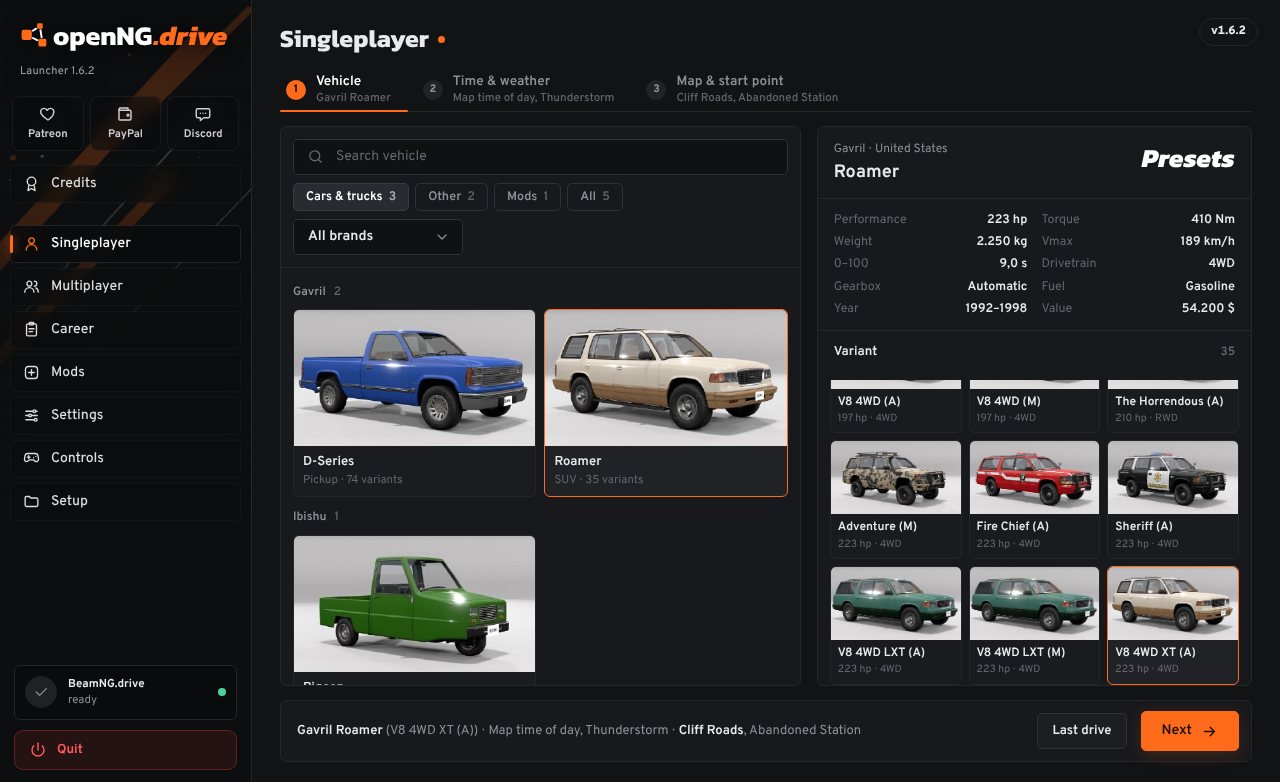
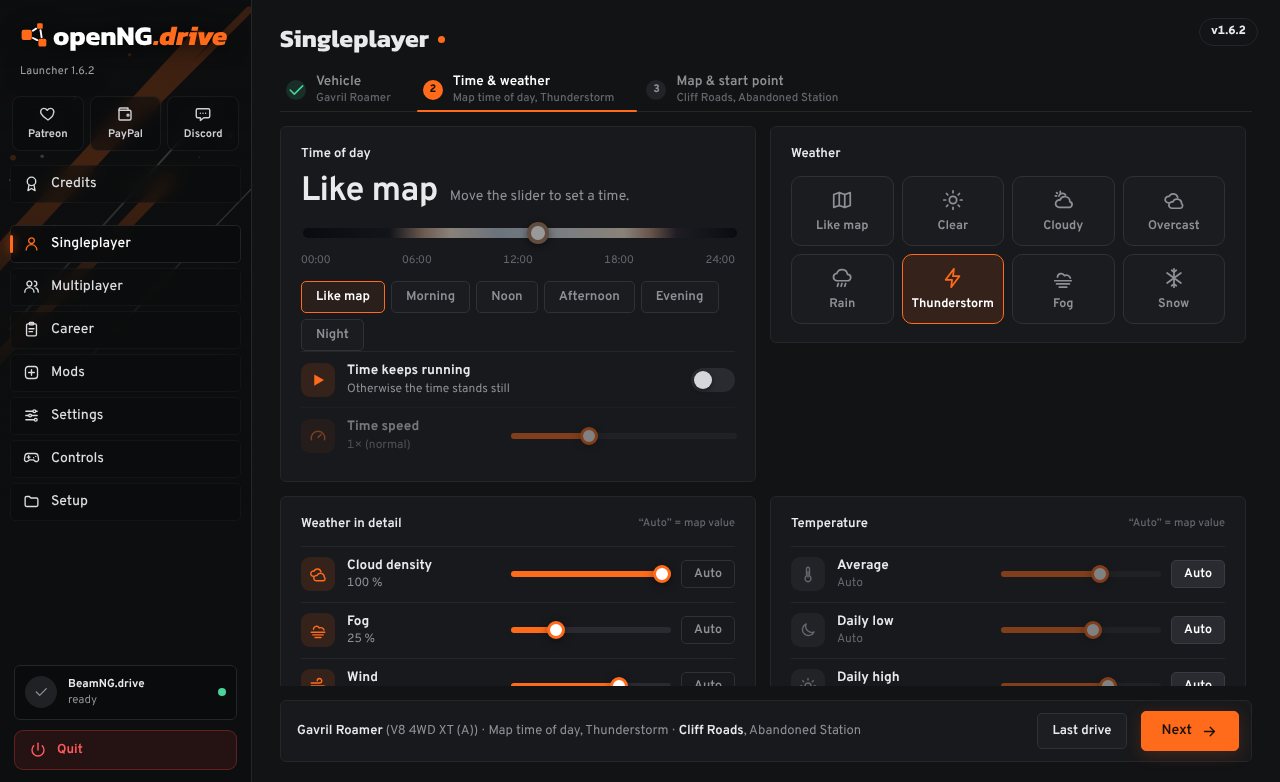
Everything set before the game loads
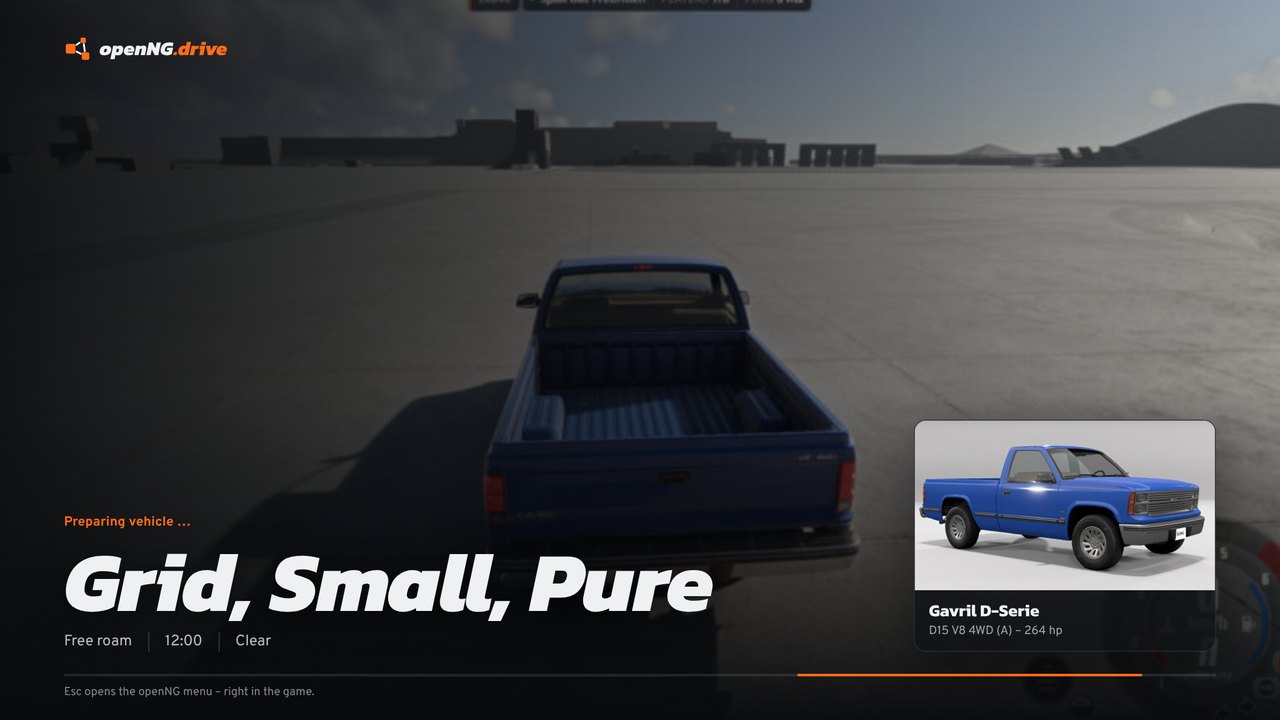
Normally you load a map, wait, open the vehicle menu, pick a car, then change the time and weather. Here you do that first, in one place, and BeamNG.drive opens with all of it already done.
- Every car and preset you have, mods included
- Time of day, clouds, fog, wind, rain and snow, plus the temperature over the day
- The start point, picked on a map of the level
- “Last drive” starts the same setup again with one click
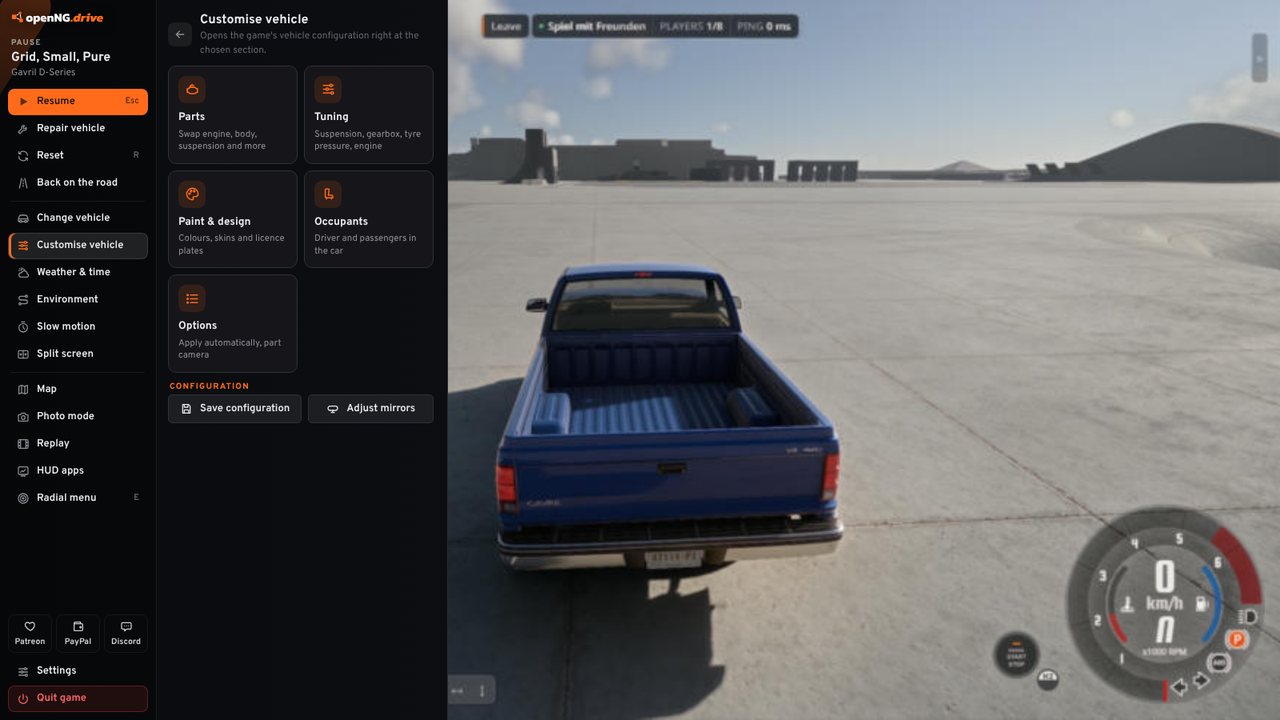
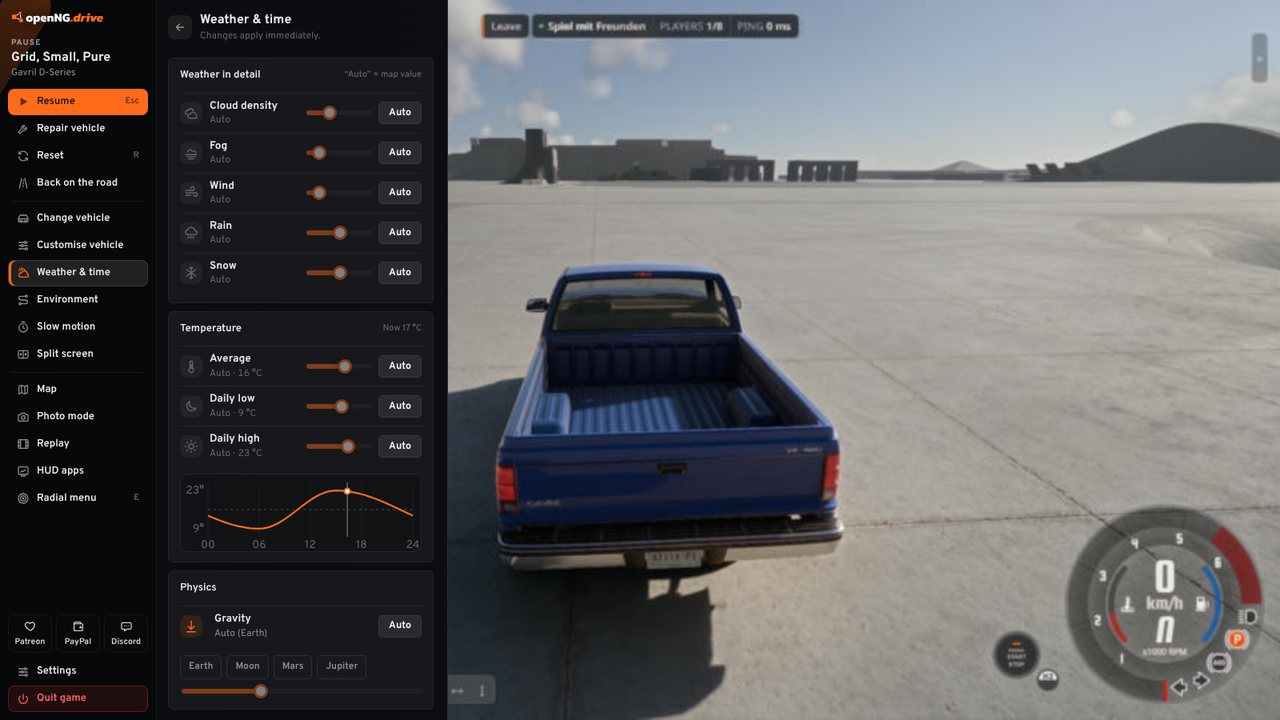
A different menu when you press Esc
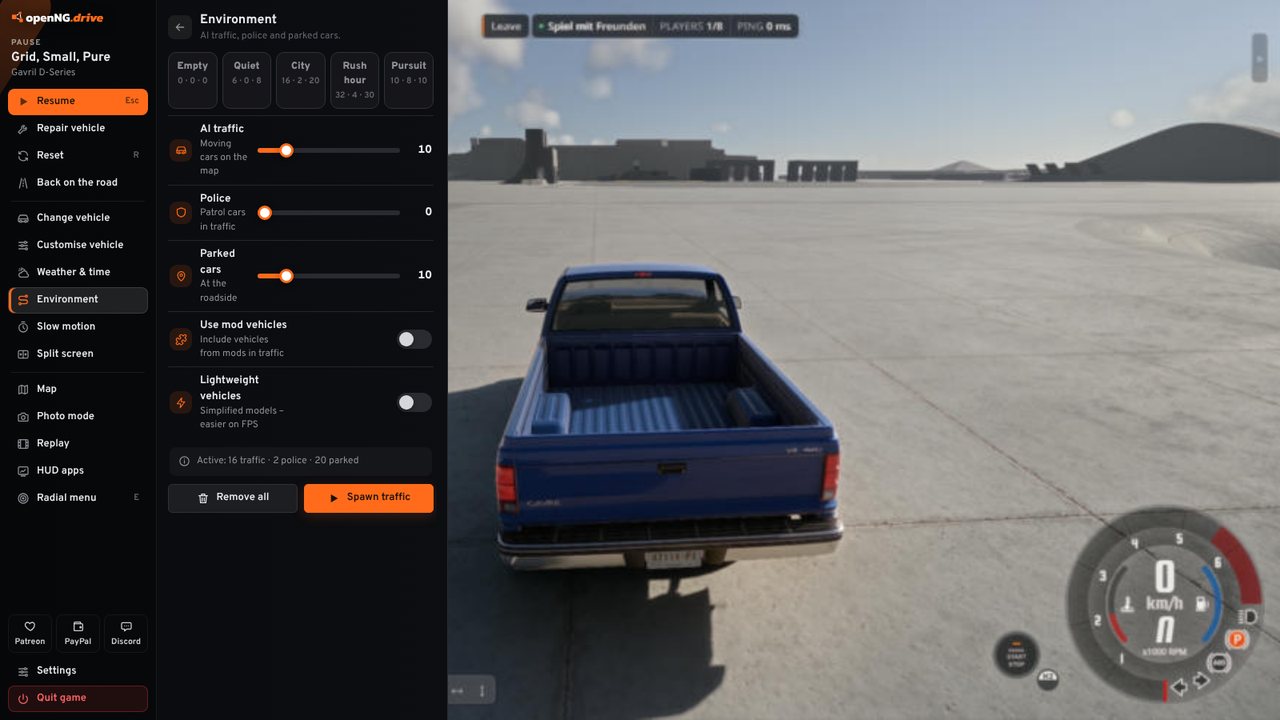
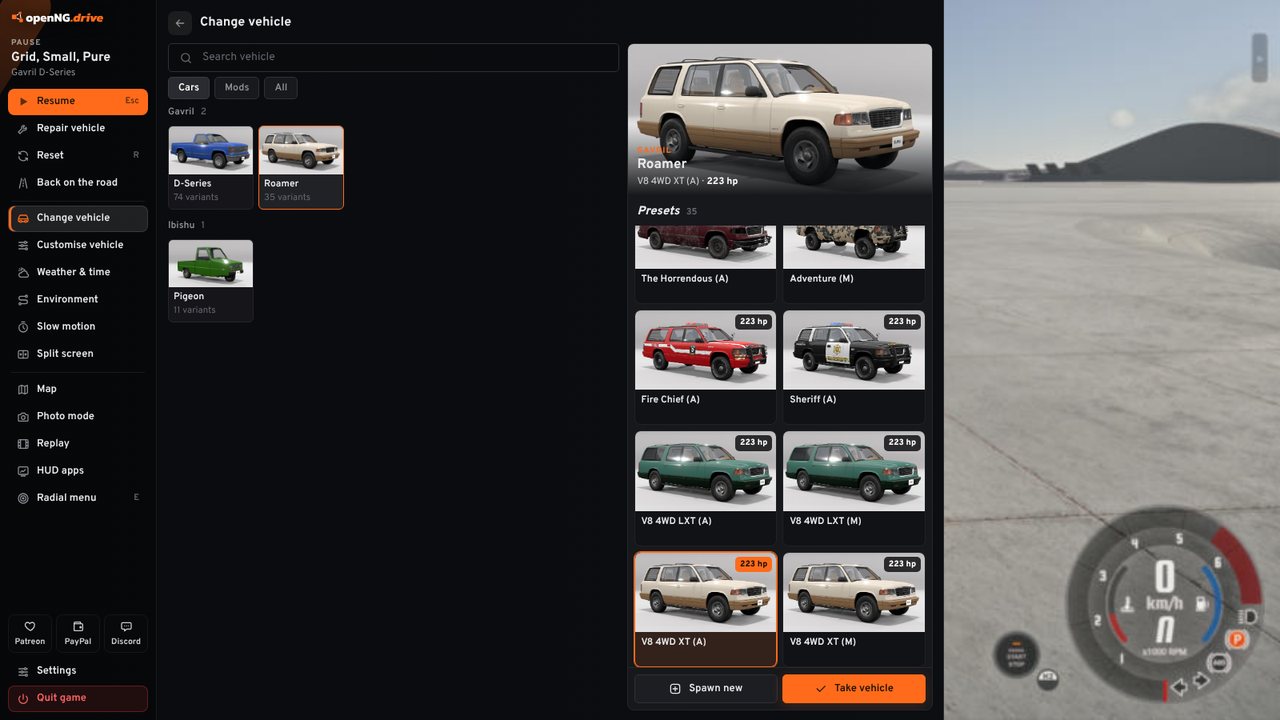
In a game you started with the launcher, Esc opens a panel on the left. The game stays visible behind it and the mouse works as usual. From there you can:
- repair the car, reset it or put it back on the road
- switch cars or spawn a second one next to you
- open BeamNG's vehicle setup straight on parts, tuning, paint or occupants
- change weather, time and temperature, spawn traffic and police, use slow motion
- start split screen, switch VR on, or change the screen mode and graphics
Start the game from Steam, or close the launcher, and you get BeamNG's own menu as usual.
Driving with friends
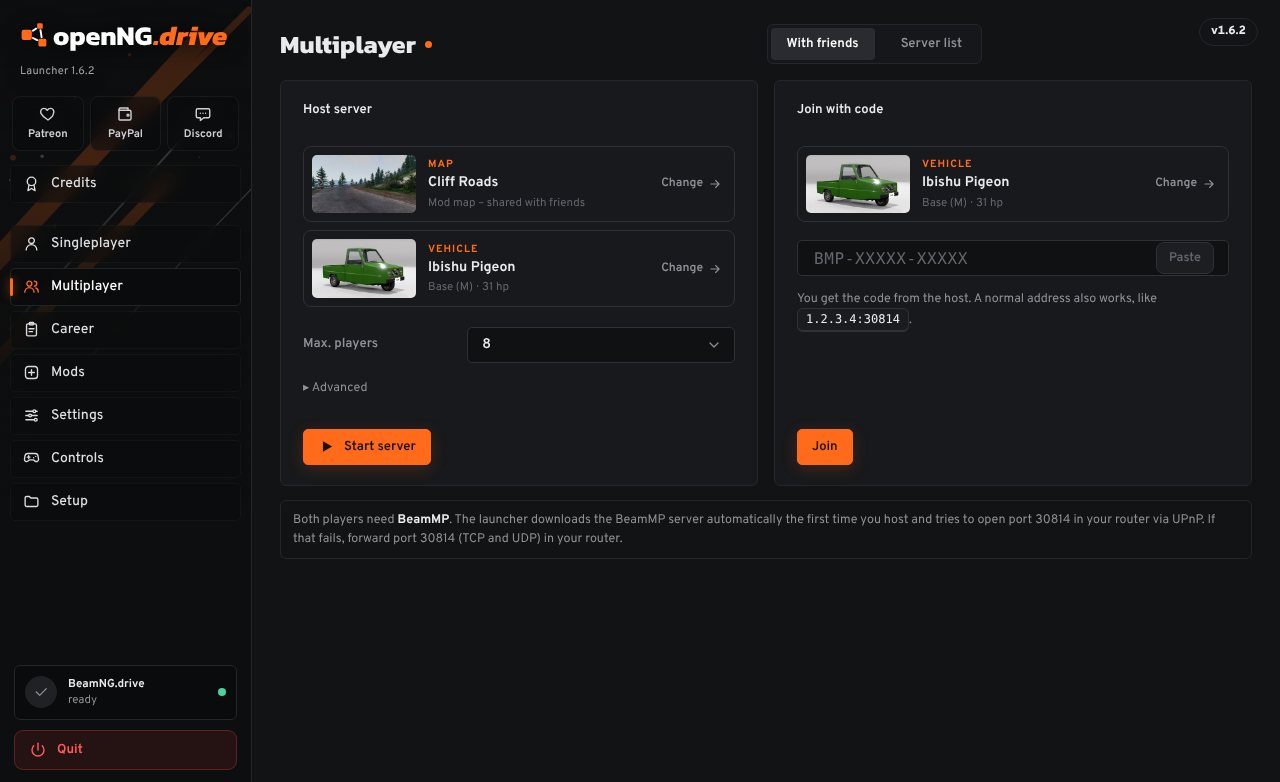
Host a BeamMP server from the launcher and send your friends the short code it gives you. They paste it in, and they spawn on your map in the car they chose. Mods you use are shared with them.
You can also browse the public BeamMP servers with map pictures and player counts, or play career mode together through CareerMP. The BeamMP installer comes in the zip.
Settings in the launcher
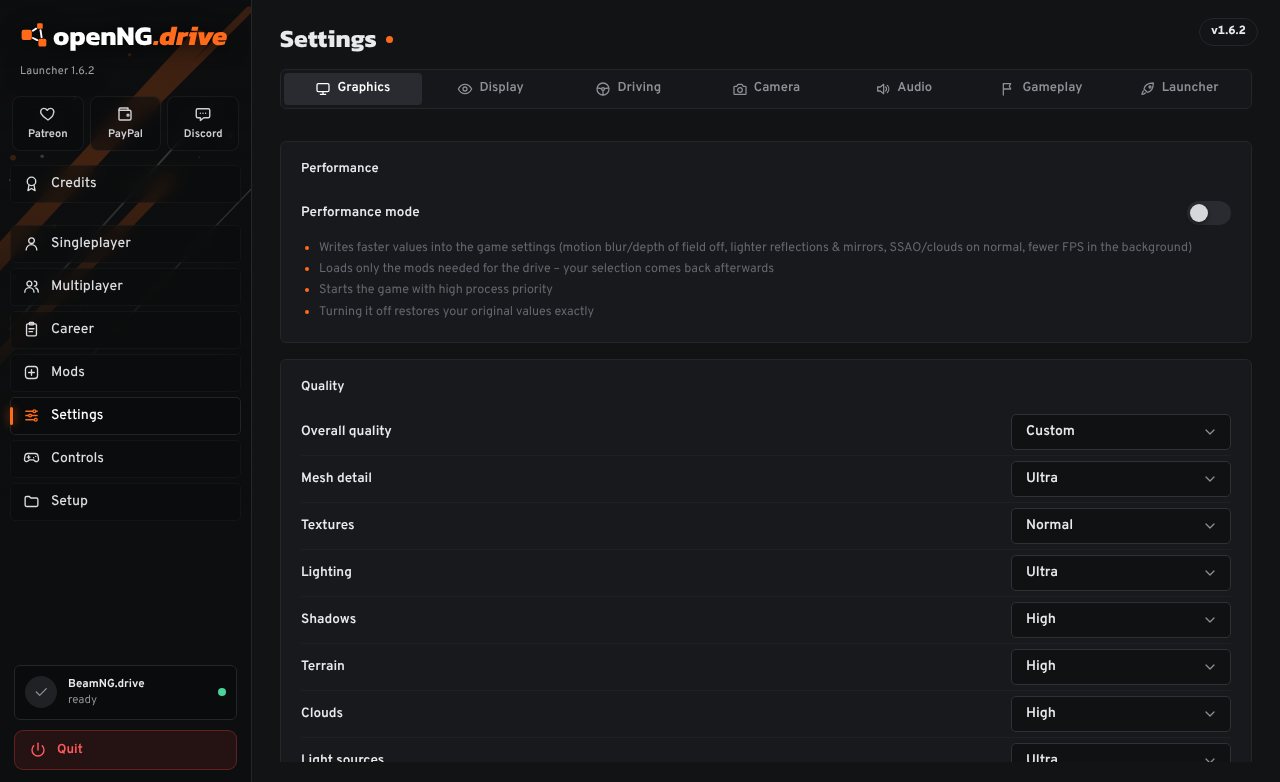
Graphics, DLSS and FSR, VR, controls, steering wheel, camera and sound can all be changed before you start. If the game runs slowly on your PC, performance mode turns down the expensive settings and puts yours back when you switch it off.
The launcher is in English, German, French and Russian, and it updates itself when a new version is out.
Installing
You need Windows 10 or 11 and BeamNG.drive from Steam.
- Unzip the downloadRight-click
openNG.drive.zip, choose “Extract All…” and put it somewhere likeD:\. You get a folder calledopenNG.drive. - Start openNG.drive.exeThe first time, Windows may show “Windows protected your PC”. Click “More info”, then “Run anyway”. Windows shows that for programs that aren't signed with a paid certificate.
- Pick a car and driveThe launcher finds BeamNG.drive by itself. If it doesn't, choose the game folder under Setup. For multiplayer, go to Multiplayer and click Install next to BeamMP.
Questions
- Is this made by BeamNG?
- No. It's a fan project, not connected to BeamNG GmbH or the BeamMP team. It starts the game you bought on Steam.
- Does it change my game?
- The game folder stays as it is. The launcher writes to your BeamNG user folder only: settings you change in the launcher, the files of the pause menu, and a backup of your graphics settings while performance mode is on.
- How do I uninstall it?
- Delete the folder. Everything the launcher keeps for itself is in
openNG-datanext to the exe. - What is the “launcher open right now” number?
- Each open launcher adds one to a public counter every 15 seconds. No name or other data about you is sent. You can turn it off in the launcher under Settings, Launcher.
- Was it made with AI?
- Partly. openNG.drive was built with the help of Claude, an AI assistant by Anthropic. What it should do, the testing and the decisions come from someone who plays BeamNG a lot.
Something else, or found a bug? Ask on Discord.
New in 1.6.3
Bug fixes for the pause menu and the launcher.